What Is Jev and How to Get Started
Build a small issue-triage client in AgentGrid, understand its decisions, and test the review rules before making a live API call.
In this story
Documentation checked September 21, 2026. The example below passed local tests with synthetic responses. We have not tested it against the live Jev API.
An issue arrives: the CSV export button does nothing. Before anyone starts fixing it, someone has to decide what the report actually asks for—and whether it contains enough information to investigate.
That is a useful place to try Jev. You supply the issue and a few specific questions. Your program gets structured answers it can use to suggest a next step.
What is Jev?
Jev is TypeSafe's first System One model, introduced on September 15, 2026. TypeSafe uses that term for models built to make structured decisions that software can consume. You send the information to evaluate, called the state, along with typed questions. Jev returns decisions and probabilities rather than writing a chat response. TypeSafe's introduction, launch announcement.
For the issue above, the useful output could be a suggested category and a signal that reproduction details are missing. Your application decides what happens next: display the suggestion, ask a person to review it, or request more information.
A valid category can still be the wrong category. Restricting the output to known values helps the integration; it does not establish that the model understood the issue correctly. TypeSafe's own limitations page describes mistakes involving literal wording, numbers, irrelevant context and adversarial input. Jev 1.13 limitations.
Three kinds of questions
Choose the question type that matches the decision your code needs.
| Type | Use it for | What comes back |
|---|---|---|
| Choice | Pick a category from options you supply | The selected option, a probability for each option, and confidence |
| Noul | Judge a yes/no question, such as whether reproduction details are missing | A number from 0 to 1 representing the probability of yes |
| Score | Rate something against ordered descriptions, such as relevance levels | A score along those levels, their probabilities, and confidence |
Several questions can share one request, but each is evaluated independently against the state. A question cannot depend on another question's answer in that same call. Combine the answers in your code. How TypeSafe evaluates questions.
Where would you use it?
Start with a decision you can inspect quickly. These are possible applications, not results we have measured:
- Issue or support intake: suggest a known category, then let a person confirm the destination and missing information.
- Context selection: rate retrieved passages for relevance before passing them to a coding or answering agent. Check that useful evidence is not being discarded.
- Workflow selection: suggest whether a request belongs in a bug-fix, documentation or research process. Keep the permission to start work in your application.
These fit the classification, relevance and routing patterns in TypeSafe's use-case examples. If the job is to draft a reply or implement a feature, a generative coding or writing agent still has work to do. Jev's contribution is the bounded judgment inside that larger process.
Start with a local project in AgentGrid
In this walkthrough, a regular coding agent reviews the client, a terminal runs it, and the client can call Jev. You do not select Jev as a native AgentGrid harness.
Download the starter project and extract it. In AgentGrid, set your project's folder to the extracted jev-starter directory. Open your configured coding agent and a terminal in that project. Keep the TypeSafe API reference nearby while you inspect the request. AgentGrid's Claude Code and Codex guide covers coding-agent setup if you need it.
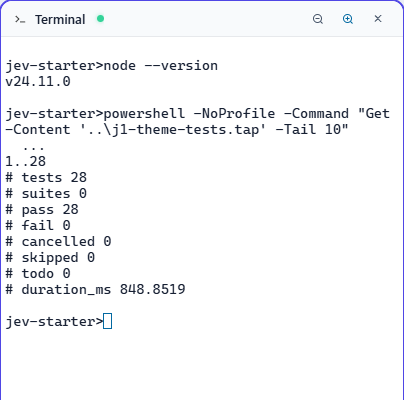
The example needs Node.js 20 or newer and no package installation. We ran its local checks on Node 24.11.0 on Windows; Node 20 and a POSIX shell were not separately tested. TypeSafe also provides an official JavaScript SDK; this small example uses Node's built-in fetch so you can inspect the HTTP request directly.
You can use an ordinary terminal too. AgentGrid is useful here because the criteria, coding-agent review and test output stay together while you change the integration.
Give the coding agent this task:
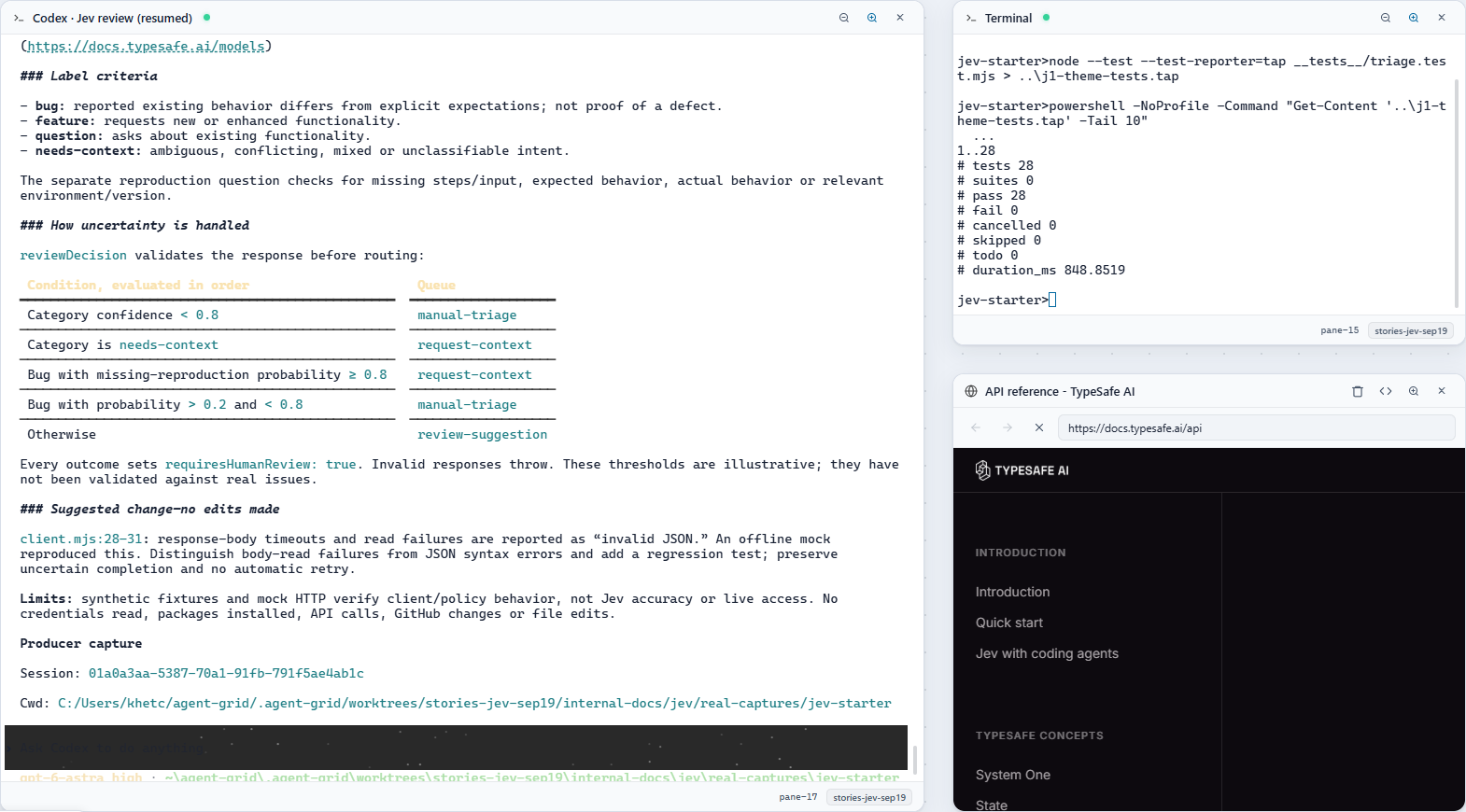
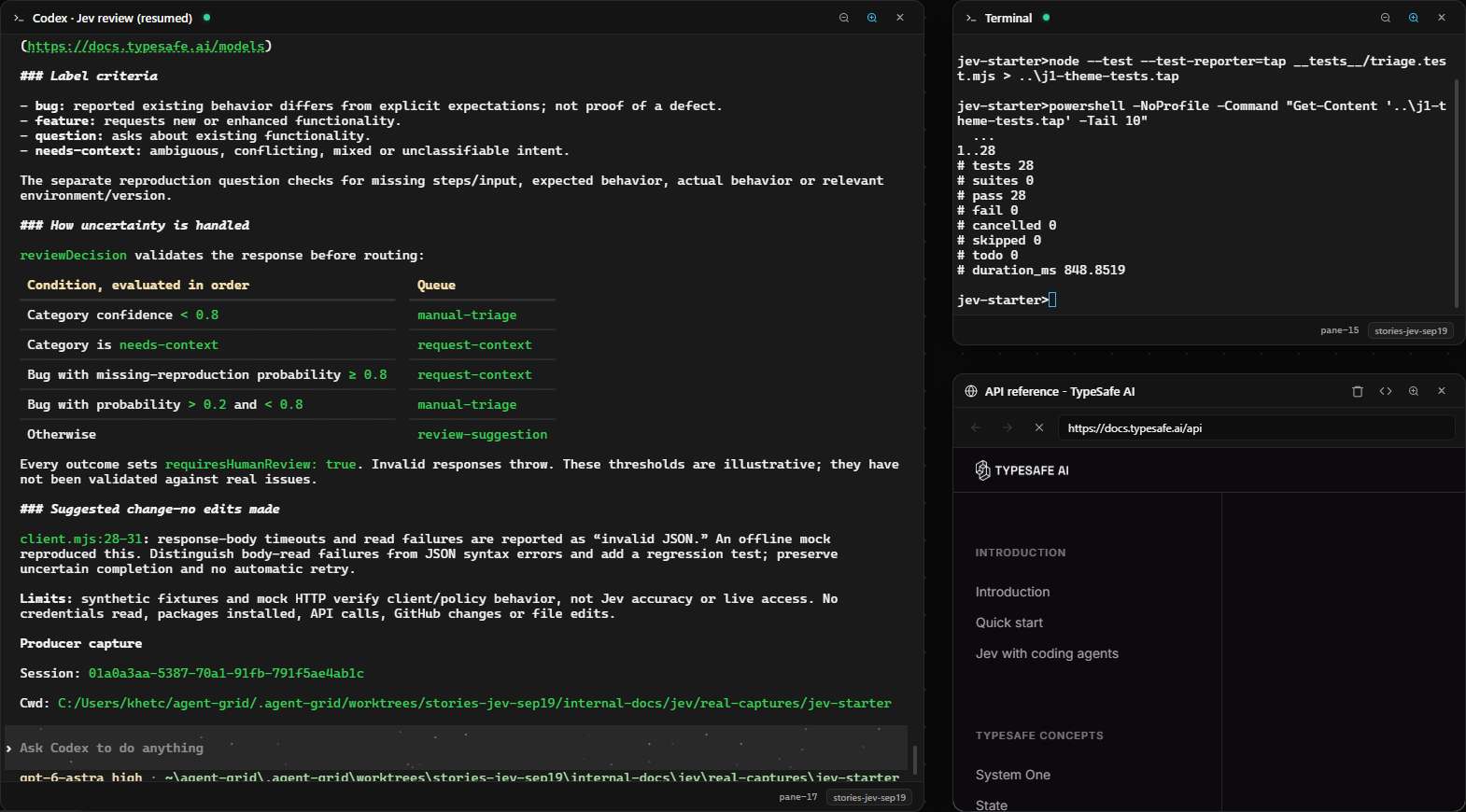
Review this Jev issue-triage starter. Read any project instructions first.
Compare triage.mjs and client.mjs with https://docs.typesafe.ai/api.
Explain the label criteria and how reviewDecision handles uncertainty.
Run node --test __tests__/triage.test.mjs and report the actual result.
Keep API execution offline: do not read credentials, install packages,
call the API or change GitHub issues. Suggest changes before editing files.
This prompt is a starting point for your review. The test results below come from local command-line checks, not a live Jev call.
Read the decision before you run it
The starter has three main files:
triage.mjsdefines the questions, validates the response and chooses a review queue.client.mjsmakes the HTTP request when live mode is selected.cli.mjslets you preview the request, use a fixture or call the API.
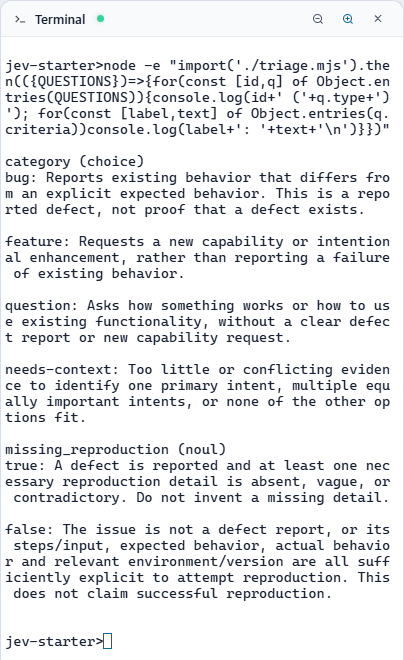
The synthetic issue is in fixtures/issue.json. It describes a failed CSV export but leaves the reproduction steps and environment empty. The category question distinguishes four intentions:
| Category | What this example means by it |
|---|---|
bug | A report that existing behavior differs from an explicit expectation; the defect is not yet verified |
feature | A request for a new capability or intentional enhancement |
question | A request for help with existing functionality |
needs-context | Ambiguous, conflicting or insufficient evidence to identify one intention |
A separate Noul question asks whether a reported defect lacks necessary reproduction information. Code uses that answer only on the bug branch. Missing steps should not turn every clear defect report into an unknown category.
Put the actual meaning in the question's instructions and criteria. The API's question IDs, such as missing_reproduction, identify answers in the response; they are not sent to the underlying model as instructions. API request format.
Run the offline checks first
From the extracted project folder, these commands are the same in PowerShell and a POSIX shell:
node --version
node --test __tests__/triage.test.mjs
node cli.mjs --request
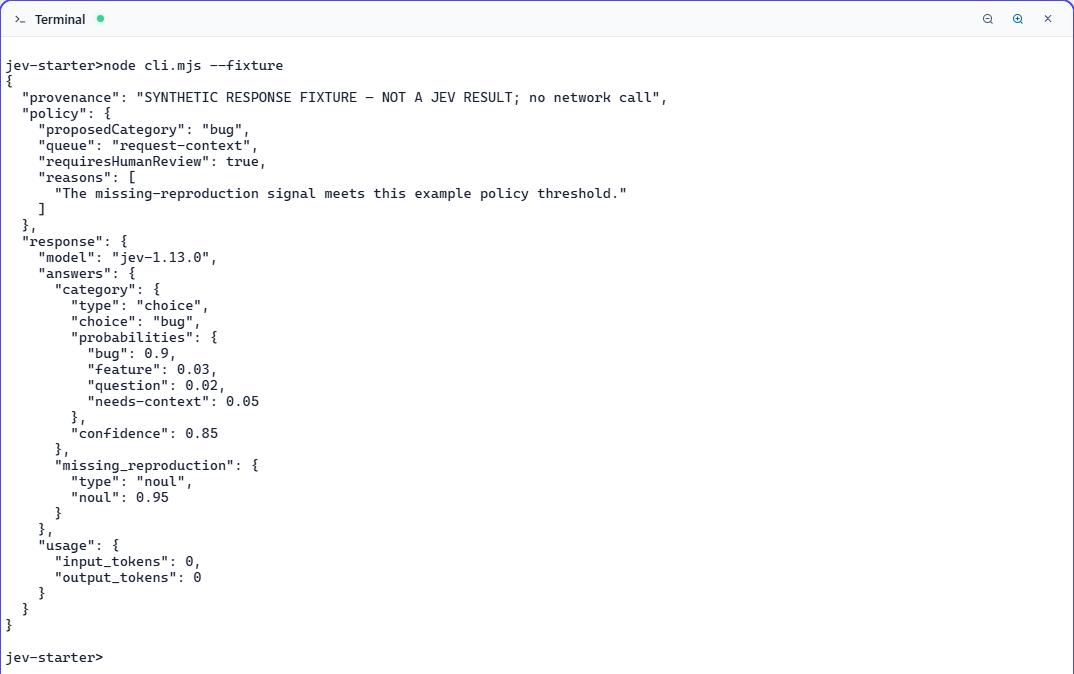
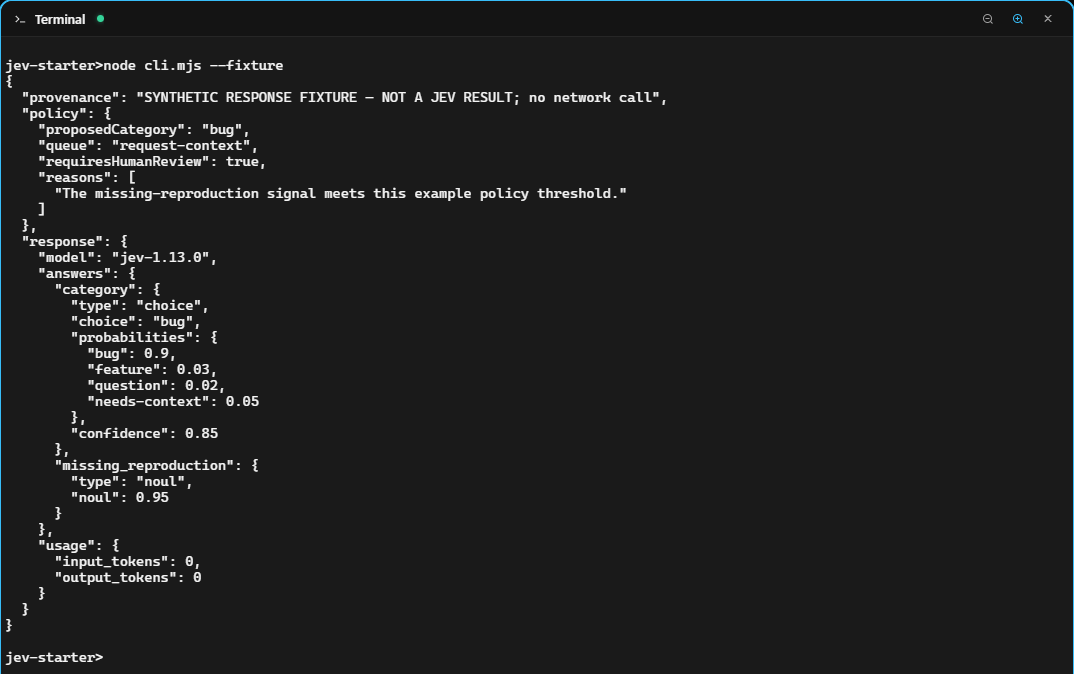
node cli.mjs --fixture
The 28 local tests cover the review rules, malformed responses and simulated HTTP failures. All passed in our Windows run. They do not measure Jev's accuracy or establish API access.
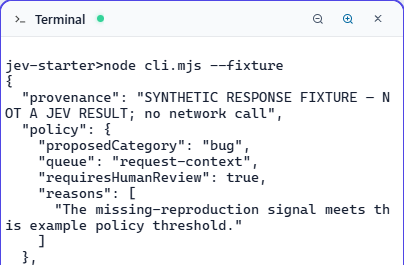
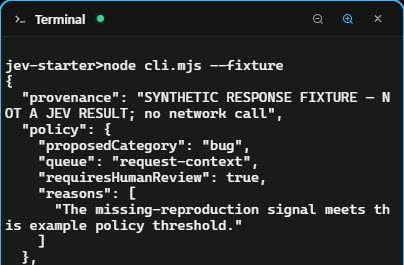
--request prints the planned request without sending it. --fixture uses hand-written response values to exercise the review logic. Its output explicitly says:
SYNTHETIC RESPONSE FIXTURE — NOT A JEV RESULT; no network callFor that fixture, the proposed category is bug and the review queue is request-context. The code reaches that branch because the fixture's category confidence is 0.85 and its missing-reproduction value is 0.95. Those numbers were chosen for the example; Jev did not produce them.
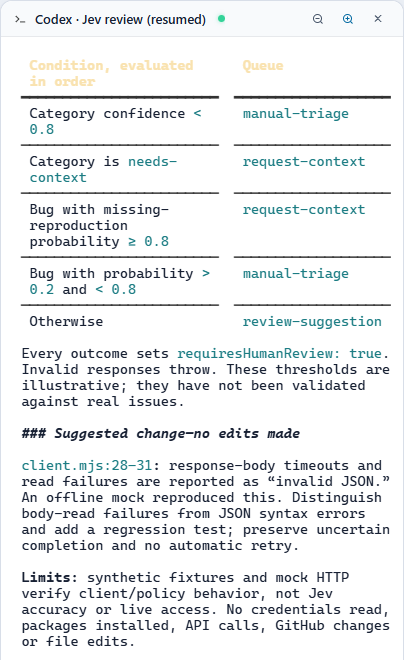
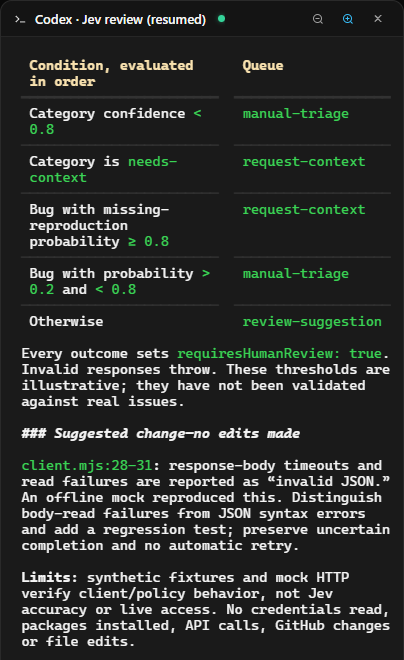
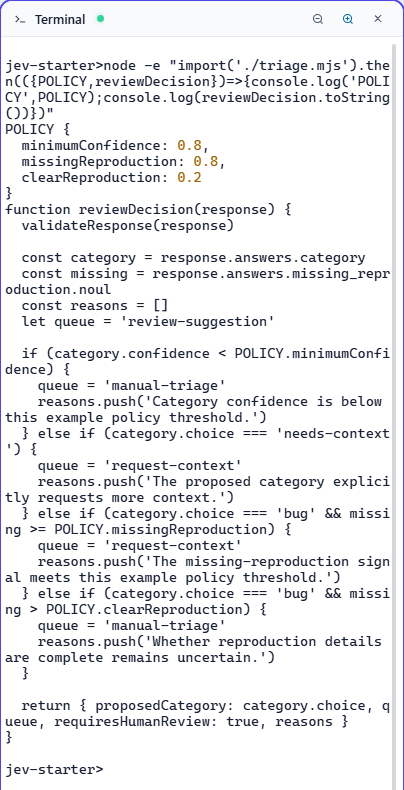
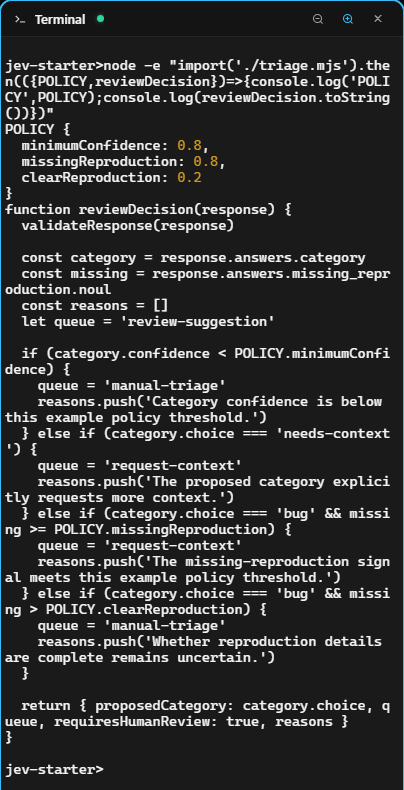
Here is the policy the starter applies, in order:
| Condition | Suggested queue |
|---|---|
| Category confidence below 0.8 | manual-triage |
Otherwise, category is needs-context | request-context |
Otherwise, category is bug and missing-reproduction is at least 0.8 | request-context |
Otherwise, category is bug and missing-reproduction is above 0.2 | manual-triage |
| Otherwise | review-suggestion |
Every branch keeps requiresHumanReview: true. The script never labels, closes or comments on a GitHub issue.
The thresholds are illustrative, not tuned recommendations. Choice confidence summarizes its probability distribution; it is not interchangeable with the winning option's probability. Noul has no separate confidence field. Evaluate the decisions on your own labeled examples before treating a threshold as useful. TypeSafe's confidence documentation.
Make a live call when you have access
TypeSafe's launch announcement describes staged early access. Check your access in the TypeSafe console rather than assuming installing the client grants it. Early-access announcement.
The starter pins jev-1.13.0, the current version listed when we checked. TypeSafe lists input pricing of $0.042 per million tokens, with output tokens free. Check the current model and pricing page before running a batch. This walkthrough has no measured API cost or latency.
Set TYPESAFE_API_KEY privately in the terminal that will run the script, following the TypeSafe setup instructions. Keep the key out of the agent conversation, repository and screenshots. Once it is available in that terminal, run:
node cli.mjs --liveThis sends the synthetic issue and its two questions to https://api.typesafe.ai/v1/systemone. The script prints the returned model, answers and usage alongside its review suggestion. Read the probabilities as well as the chosen category; a plausible label alone tells you little about the alternatives. HTTP API.
If the key is missing, the script stops before sending. Authentication, request or response errors also stop the run. It deliberately does not retry automatically: after a timeout, it cannot tell whether the server processed the request. Check the failure before trying again. We have not performed this live step, so there is no live result to reproduce yet.
Decide whether it helps on your issues
Try a clear feature request, an incomplete defect report and an ambiguous report with competing intentions. Write down your expected category and review action before making each call. Inspect disagreements, including confident wrong answers, and keep the input and model version with the result.
Change a criterion when it fails to express what you mean. Change the application policy when it allows a suggestion to go further than it should. Those are different problems. Keep exact arithmetic and permission checks in code; TypeSafe documents limitations in numerical tasks and adversarial input. Known limitations.
For this first prototype, a useful result is straightforward: you can explain the suggestion, see why it reached a particular review queue, and correct the criteria without losing track of what changed.
Build and review it in AgentGrid
Keep the issue fixture, question criteria, coding agent and terminal together while you work through those disagreements. When you are ready to change the client, use AgentGrid's Build with Claude. Review with Codex. workflow to have a separate reviewer check the implementation and tests.
Download AgentGrid and open the starter project. Begin with the offline review, then make a live call when you have TypeSafe access and a decision worth testing.