Workflows
Claude Code simplifier: clean up the code, then check the result
The Code Simplifier plugin, the /simplify command, and a practical way to review a cleanup without losing the behavior you need.
 AgentGrid
In this story
The feature works. The tests pass. But the diff has three ways to express the same condition, repeated work inside a loop, and a branch you have to read twice.
That is a useful moment for a cleanup pass. Before asking Claude to simplify the code, decide what it can change and what must stay the same. A shorter implementation helps when you can still explain its behavior.
Which Claude Code simplifier do you mean?
There are two entry points worth distinguishing. Anthropic offers a Code Simplifier plugin for refining recently modified code. Claude Code also includes the /simplify command, a bundled cleanup skill.
| Your intention | Where to start |
|---|---|
| Use the dedicated clarity agent | The Code Simplifier plugin |
| Review and apply cleanup to a change | /simplify |
| Look for correctness bugs | /code-review |
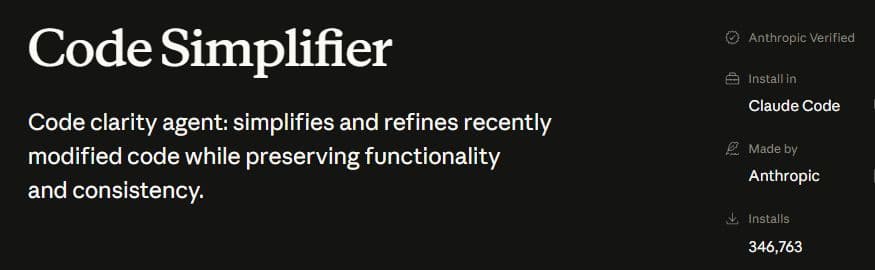
The current command reference says /simplify applies cleanup fixes and directs correctness review to /code-review. A cleanup can change files. Inspect its output before accepting it, and check your installed version when following an older walkthrough.
For the bundled workflow, start with a bounded change and enter:
/simplifyIf you specifically want the plugin, use Anthropic's official listing and its installation instructions. Installing an unrelated similarly named plugin is not necessary to use the bundled command.
Define what must stay the same
Save a starting revision and run the relevant checks before cleanup. A failing baseline makes it harder to tell whether a later failure was introduced by the rewrite.
Here is an example contract for a function that chooses recipient names:
- Include a member only when
activeis the booleantrue. - Accept string names, trim surrounding whitespace, and skip blank names.
- Remove duplicate names after trimming, keeping the order of first appearance.
- Keep case distinctions:
Adaandadaare different names. - Leave the input array and its member objects unchanged.
These details are the job. Replacing a strict boolean check with a truthiness check or sorting the result would change the contract, even if the code looked cleaner.
A small cleanup you can inspect
This is an authored teaching example, not a benchmark or a transcript of an agent run. Both versions are included so you can examine the tradeoff and use the baseline in your own cleanup session.
Before: the condition is buried
for (const member of members) {
  if (member.active === true) {
    if (typeof member.name === "string") {
      if (member.name.trim() !== "") {
        let duplicate = false
        for (const name of names) {
          if (name === member.name.trim()) {
            duplicate = true
          }
        }
        if (!duplicate) {
          names.push(member.name.trim())
        }
      }
    }
  }
}
After: the eligibility check comes first
for (const member of members) {
  if (member.active !== true || typeof member.name !== "string") {
    continue
  }

  const name = member.name.trim()

  if (name && !names.includes(name)) {
    names.push(name)
  }
}
The second version names the trimmed value once and handles ineligible members before the main work. It keeps the same ordering and case-sensitive comparison. It still searches the accumulated array for duplicates; this example does not establish a performance improvement for large inputs.

Run the behavioral checks
Download the before implementation, after implementation, and test file. Keep the two implementations in one folder and the test inside its __tests__ subfolder. Use Node.js 20 or later, then run:
node --test __tests__/recipients.test.mjsThe suite checks seven cases against each implementation, including input preservation: empty input, whitespace, strict activation, invalid names, duplicates, ordering, and case distinctions. Passing these checks supports equivalence for those cases. It does not cover every possible input or prove that an arbitrary future rewrite is safe.
When trying a cleanup yourself, copy the original requirements into the request. Ask the agent to explain each change, run the checks, and call out any behavior it could not verify. Review untracked files as well as the tracked diff.
To try this example, work in a copy of the downloaded folder. Give Claude the contract above, then target the before file so the reference implementation stays available:
/simplify recipients-before.mjsRun the same test command again and inspect the changed file. Claude may choose a different implementation from the one shown here; the acceptance criteria stay the same.
Keep the final result visible
The last step is deciding whether you want the change. Open the final diff, read the checks, and inspect anything the agent left uncertain. If cleanup expands into a redesign, bring it back to the original scope.
In AgentGrid, you can keep the coding conversation, a separate review conversation, a terminal, and source control on the same canvas. Use the Claude Code and Codex walkthrough to try that handoff, or follow the quickstart for initial setup.
A second conversation gives you another opportunity to inspect the work. Its approval is evidence to examine alongside the diff and tests. You still decide whether the result is useful.
Written with AI assistance. Official product references checked September 16, 2026. The downloadable example is original to this article.